
Loading page
Bring your own audio or fetch a built-in sample set with one script.
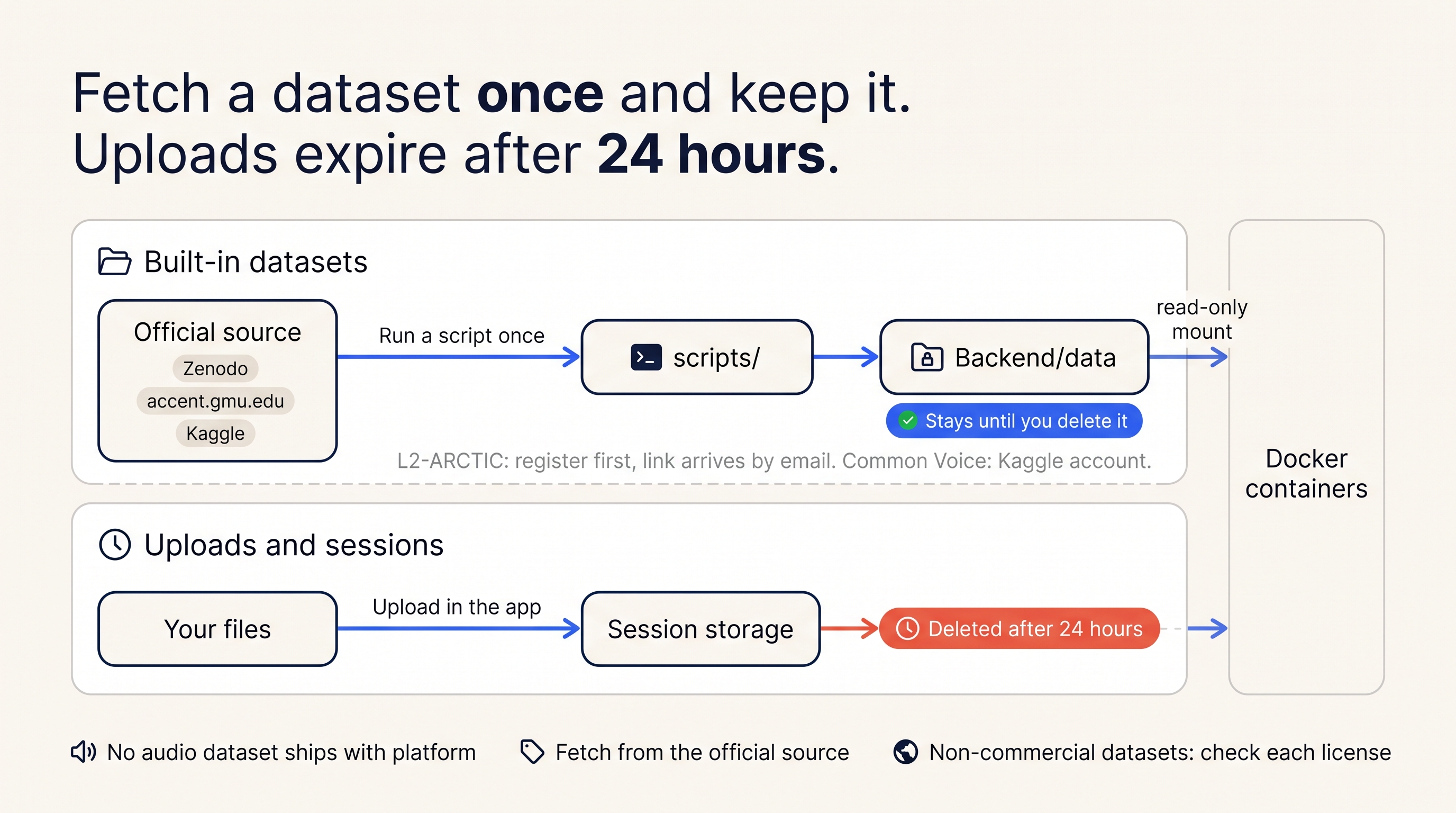
AudioLens has six built-in sample datasets so you can start exploring
without uploading anything. No dataset audio is included in the
repository or in any download from this project — their licenses don't
allow redistribution. You fetch each one once, from its official source,
with a script in scripts/. The scripts write into Backend/data/ and
reproduce the exact subset AudioLens uses.
| Dataset | Rows | Script | What you need first |
|---|---|---|---|
| RAVDESS | 144 | download_ravdess.py | Nothing. Downloads about 208 MB from Zenodo. |
| Speech Accent Archive (SAA) | 150 | download_saa.py | Nothing. Fetches each clip from accent.gmu.edu. |
| LibriSpeech-1000 | ~1000 | download_librispeech_1000.py | Nothing. Uses the Hugging Face datasets-server. |
| L2-ARCTIC | 150, with phone-error annotations | prepare_l2arctic.py --source <folder> | Free registration. Fill in the form on the L2-ARCTIC page (name, email, affiliation, agree to the license); a Google Drive link arrives by email. Download and extract it. |
| Common Voice (cv-valid-dev subset) | 100 | prepare_common_voice.py --kaggle or --source <folder> | A free Kaggle account and API token (for --kaggle), or the Kaggle common-voice download you already have (for --source). |
| SAVEE | up to 100 | prepare_savee_subset.py --source <folder> | A copy you already own. SAVEE can't be redistributed, so nothing fetches it for you. |
Every script accepts --dry-run and prints the dataset's license and
citation before doing anything. python scripts/fetch_datasets.py runs the
three that need nothing in one go. Full usage is on CLI & scripts.
Each built-in dataset gets a metadata CSV when you fetch it. Its columns are what the Fairness grouping and the Layer probes properties draw on:
| Dataset | Columns |
|---|---|
| Common Voice | text, age, gender, accent, duration, up_votes, down_votes, client_id, locale |
| RAVDESS | emotion, intensity, statement, repetition, actor, gender, modality, vocal_channel |
| L2-ARCTIC | speaker_code, native_language, gender, text, utt_id, error_type, canonical and perceived IPA, and human-verified error counts. Phone-level errors (time window, expected and produced phone) are in a separate annotations file. |
| SAA | native_language, age, age_english_onset, sex, birthplace, country, speakerid, reading_passage |
Values of unknown (common in Common Voice age, gender, and accent) are
treated as missing by layer probes, not as a category.
Any user can upload their own dataset — there's no gatekeeping beyond the same file limits that apply to a single upload. A custom dataset needs labels from one of two sources:
Custom dataset management goes through its own set of endpoints — creating the dataset, uploading files, submitting or deriving a manifest and labels, and listing or deleting the dataset later. See /docs/rest for the full list.
These limits apply to any audio you upload, whether it's a one-off clip or part of a custom dataset:
| Setting | Default |
|---|---|
| Accepted formats | .wav .mp3 .m4a .flac |
| Max upload size | 100 MB (MAX_UPLOAD_BYTES = 104857600) |
| Max clip duration | 10 minutes (MAX_AUDIO_DURATION_SECONDS = 600) |
Some analyses apply tighter limits on top of these — saliency, for example, caps the analysis window well below 10 minutes. See each panel's own page for its specific limits.